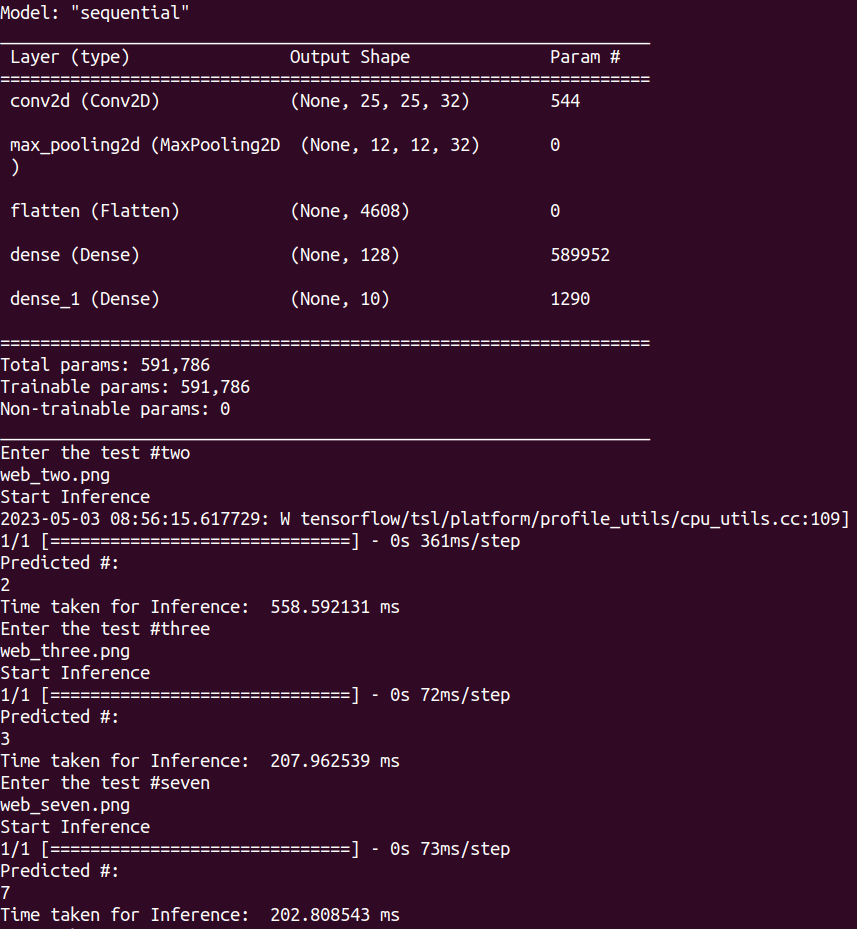
In an earlier Tensorflow MNIST demo example (i.e. my ML “Hello World” post), a single digit image inference on our IMX8PLUS Debian 11 board was taking about 208ms. The first inference cycle took a bit longer as I think the system needs to load the model into RAM and other computational “house-keeping”..
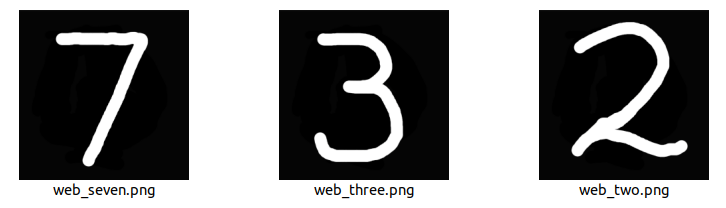
These are the test images I used for the test ..
We can reduce the inference cycle time by reducing the weights and biases in a trained neural network model. After studying the reference materials at Tensorflow Model Conversion page .. I converted my model to Tensorflow Lite.
convert2tflite.py # to convert the Tensorflow saved model to a tflite model
import tensorflow as tf
converter = tf.lite.TFLiteConverter.from_saved_model(‘MNIST_model’)
tflite_model = converter.convert()
with open(‘MNIST.tflite’, ‘wb’) as f:
f.write(tflite_model)
.. where ‘MNIST_model’ is the saved model as following (SCP over from training in my laptop)
ls MNIST_model # content of the Tensorflow saved model folder
assets
fingerprint.pb
keras_metadata.pb
saved_model.pb
variables
Then I crafted a predictor (i.e. inference) Python 3.9.2 script (with a little bit of “help” again) and wowzers! By using the Tensorflow Lite model, we were able to reduce inference time down to approximate 1msec vs. 200msecs using the standard Tensorflow model in the same hardware.
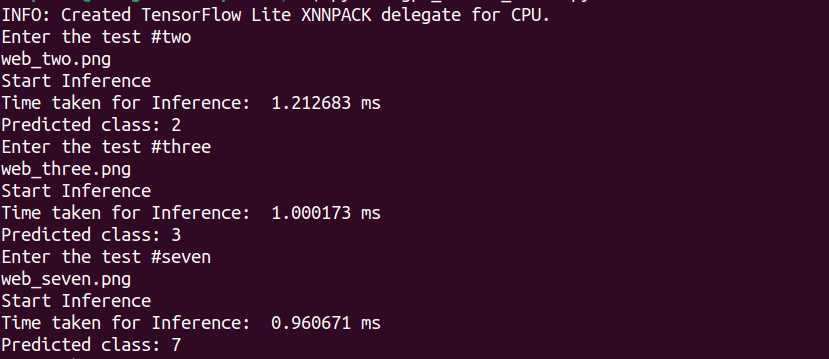
This is my digit .png image classifying script, interpreted against the reduced Tensorflow Lite model, trained from the classic 60000 image MNIST labelled database of hand-written digits ..
import numpy as np
import tensorflow as tf
from tensorflow import keras
from PIL import Image
import time
#Load the Tensorflow Lite model
interpreter = tf.lite.Interpreter(model_path=”mnist.tflite”)
interpreter.allocate_tensors()
#Get input and output details
input_details = interpreter.get_input_details()
output_details = interpreter.get_output_details()
while True:
num = input(“Enter the test #”)
path = ‘web_’ + num + ‘.png’
print(path)
# Load an image of a handwritten digit and preprocess it
img = Image.open(path).convert(“L”)
img = img.resize((28, 28))
img_array = np.array(img).reshape((1, 28, 28, 1))
img_array = img_array.astype(‘float32’) / 255.0 # Convert to FLOAT32
# Make a prediction using the loaded model
interpreter.set_tensor(input_details[0][‘index’], img_array)
print(‘Start Inference’)
t1=time.time_ns()
interpreter.invoke()
output_data = interpreter.get_tensor(output_details[0][‘index’])
t2=time.time_ns()
time_taken=(t2-t1)/1000000 #milliseconds
print(“Time taken for Inference: “,str(time_taken), “ms”)
# Print the predicted class
predicted_class = np.argmax(output_data)
print(“Predicted class:”, predicted_class)
Coming up next .. I want to further improve inference speed while hopefully maintaining similar accuracy by using Google Coral Edge TPU accelerator board. We had some PCIe driver issue (involving MSI-X being disabled in Linux kernel, therefore the gasket and apex drivers could not install. I had good help from our board hardware partner at Compulab. Thanks Benjamin!).
Related posts
Latest posts
- Complete Step by Step : Image Classification with TensorFlow and CNN
- Voice recognition using Tensorflow Lite in nRFS52840 development board
- Tested Bard vs ChatGPT to write a Python script for MNIST digit prediction!
- Edge TPU vs CPU for OpenCV Object Detection on IMX8
- Tensorflow Lite CPU vs TPU. Take Two!
 Machine Learning for IoT .. an old school EEE rite of passage. Learn, Test, Integrate, Test and Deploy Solutions