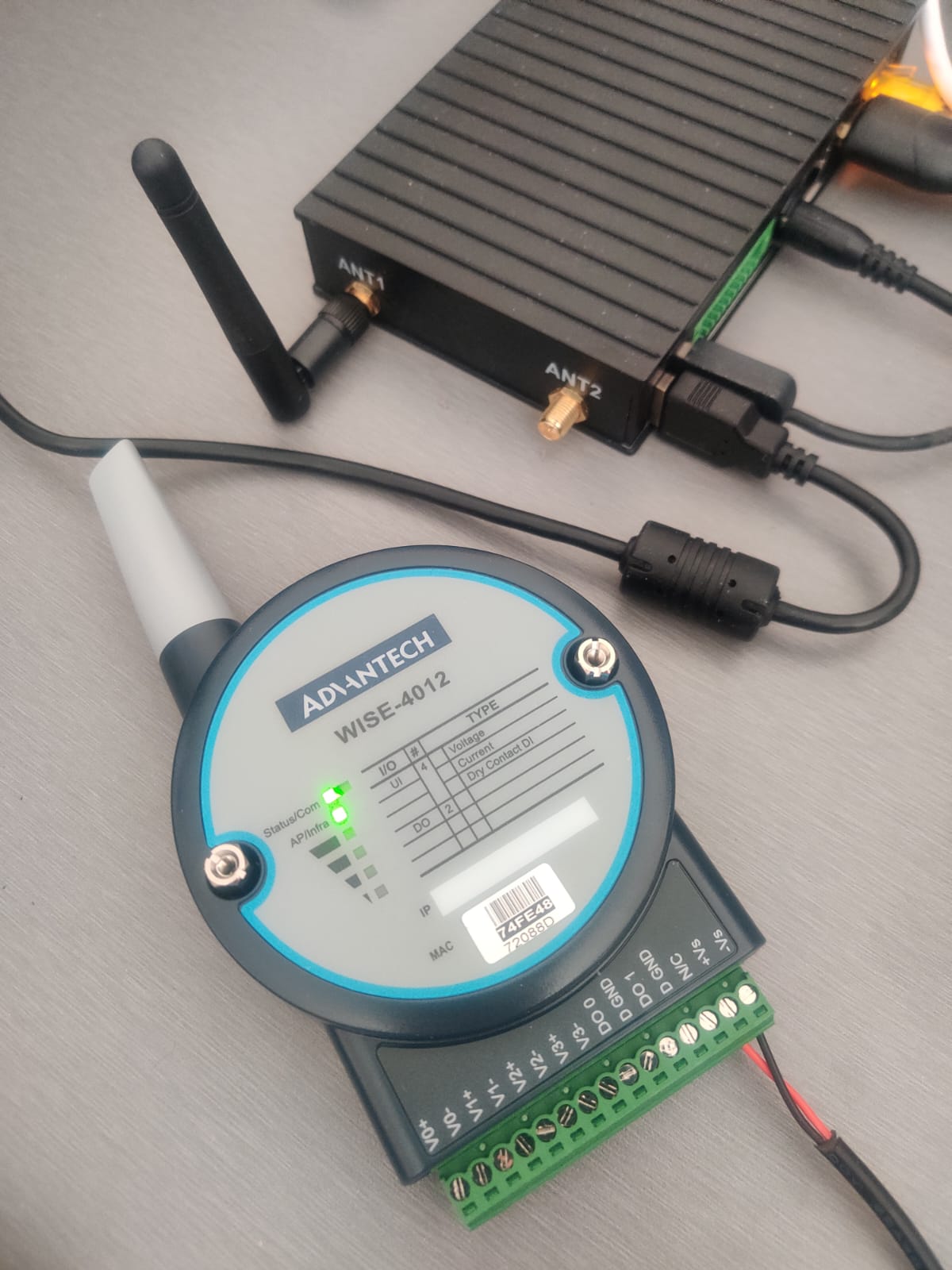
Since I am grounded recovering from a rotator-cuff operation, it looks like a nice Saturday arvo to work on integrating the Advantech WISE-4012 (4 AI/2 DO module) with our new IMX8PLUS industrial gateway (Debian 11). The IO module connects to our gateway using WIFI 802.11g 2.4GHz.
Then we will poll and parse the data in Python and send the data to our favourite “ready to rock anytime” IoT dashboard, Ubitdots.
1. Setup the WISE-4012 mode and IP address
2. Generate some “field input”
3. Python script to poll the data into our gateway
4. Setup Ubidots
5. Send the data the ‘cloud’
1. Setup the WISE-4012 mode and IP address
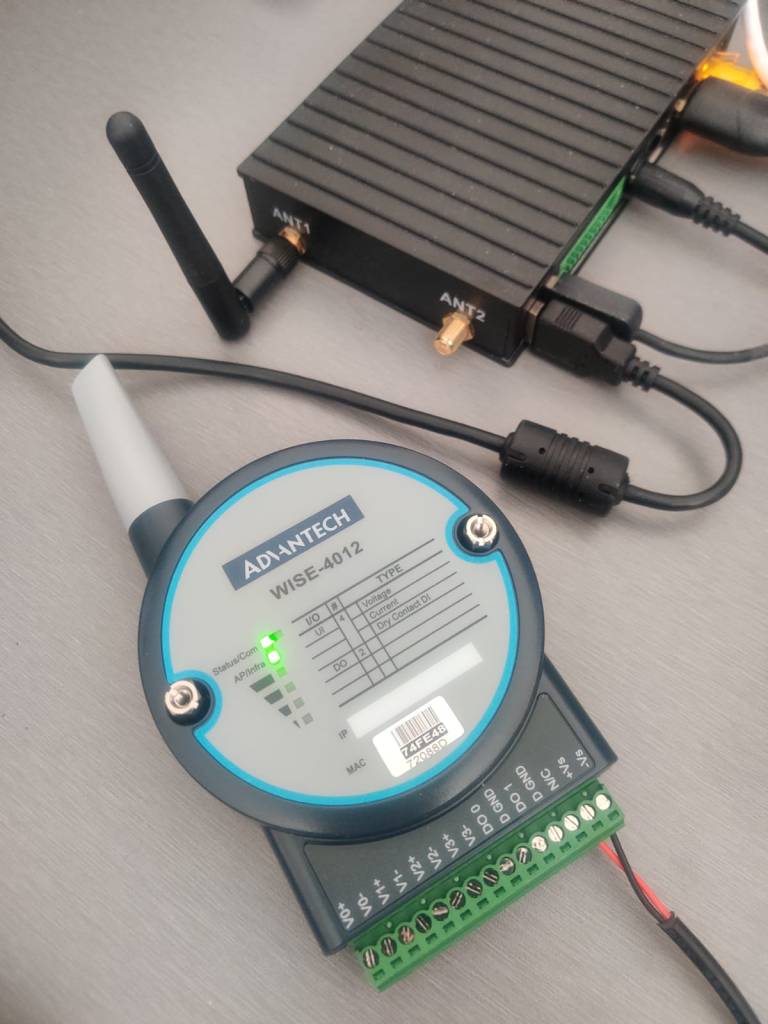
Set the unit’s SW1 in the back to OFF, so it’s in Access Point (AP) mode. Then connect to the WISE’s network in your “Available Networks”. Go to 192.168.1.1 and configure Wireless to allow it to connect to your home/office WIFI network when it reboots. Choose IP Mode as DHCP and hit “Submit”. Power off the WISE, set SW1 back to ON.

When you power it back on, you should be able to see the WISE on your home/office network. Connect to it’s assigned IP address, e.g. 192.168.1.125 from our FING network scanner.

2. Generate some “field input”
I am at home and no sign of any variable voltage/current source but ah hah! I remember some spare 100K pots that I bought to mod my Fender Jazz bass. So..

… that will have to do! And I only have red automotive wiring in my shed.
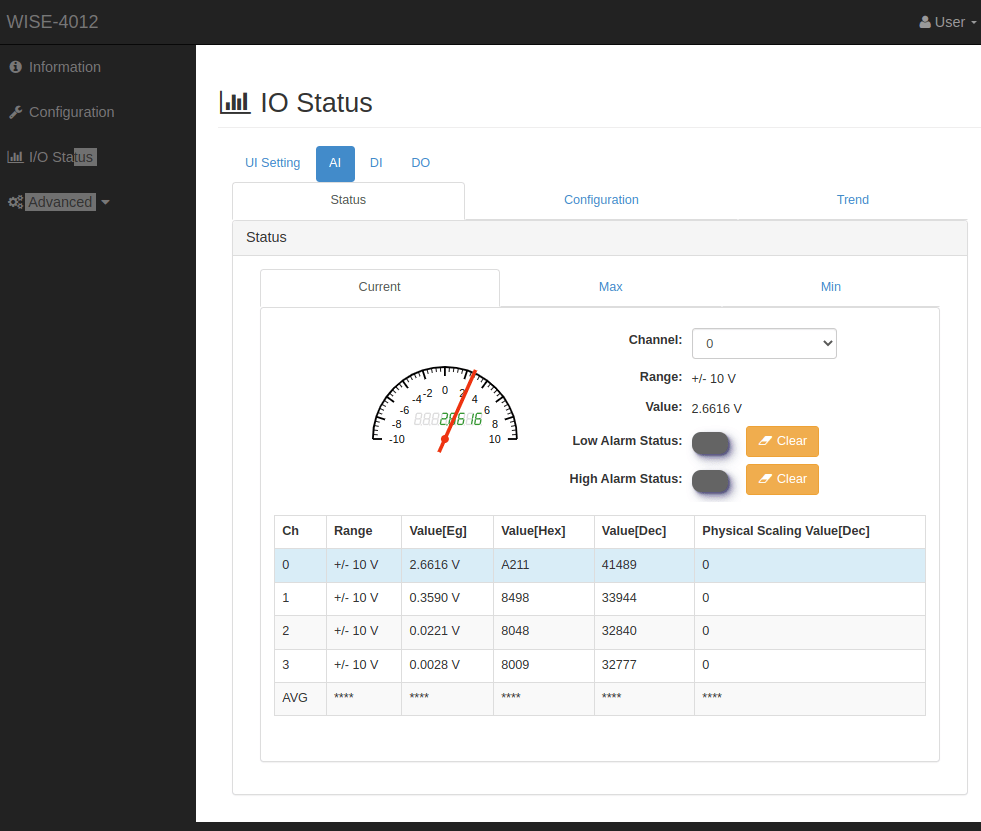
You can check the real-time IO status in the WISE console ….
3. Write some Python script to poll the data into our gateway
Simple and works for most situations, we will use the WISE’s built-in REST API server. Following the user-manual, we write some Python requests commands in the SSH console in our gateway …
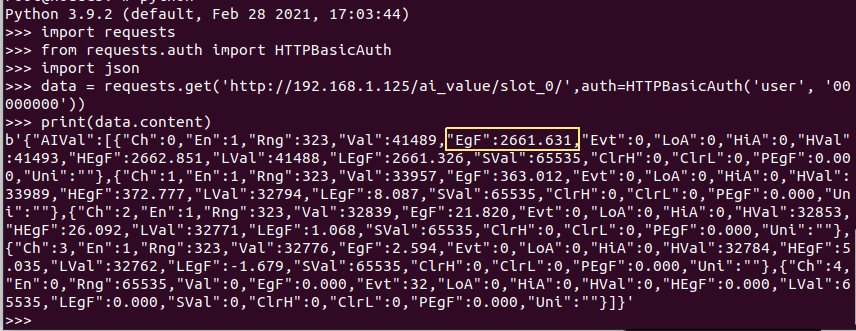
From the returned JSON array , we will be able to parse out the required IO value that we are interested in. Seems, pretty spot on!
I think it’s a good stage to have a cuppa to take a rest. Will be back in a bit with Part 2 where we will this new device in our Ubidots account and show how to access a dashboard “meter” right on our smartphone browser.
Related posts
Latest posts
- Complete Step by Step : Image Classification with TensorFlow and CNN
- Voice recognition using Tensorflow Lite in nRFS52840 development board
- Tested Bard vs ChatGPT to write a Python script for MNIST digit prediction!
- Edge TPU vs CPU for OpenCV Object Detection on IMX8
- Tensorflow Lite CPU vs TPU. Take Two!

 Machine Learning for IoT .. an old school EEE rite of passage. Learn, Test, Integrate, Test and Deploy Solutions